Google's Nano Banana 2 Combines Pro-Quality Images With Flash Speed
Google launched Nano Banana 2, a new AI image model that brings Nano Banana Pro's quality to the faster Flash architecture. Here's what changed and how to try it.
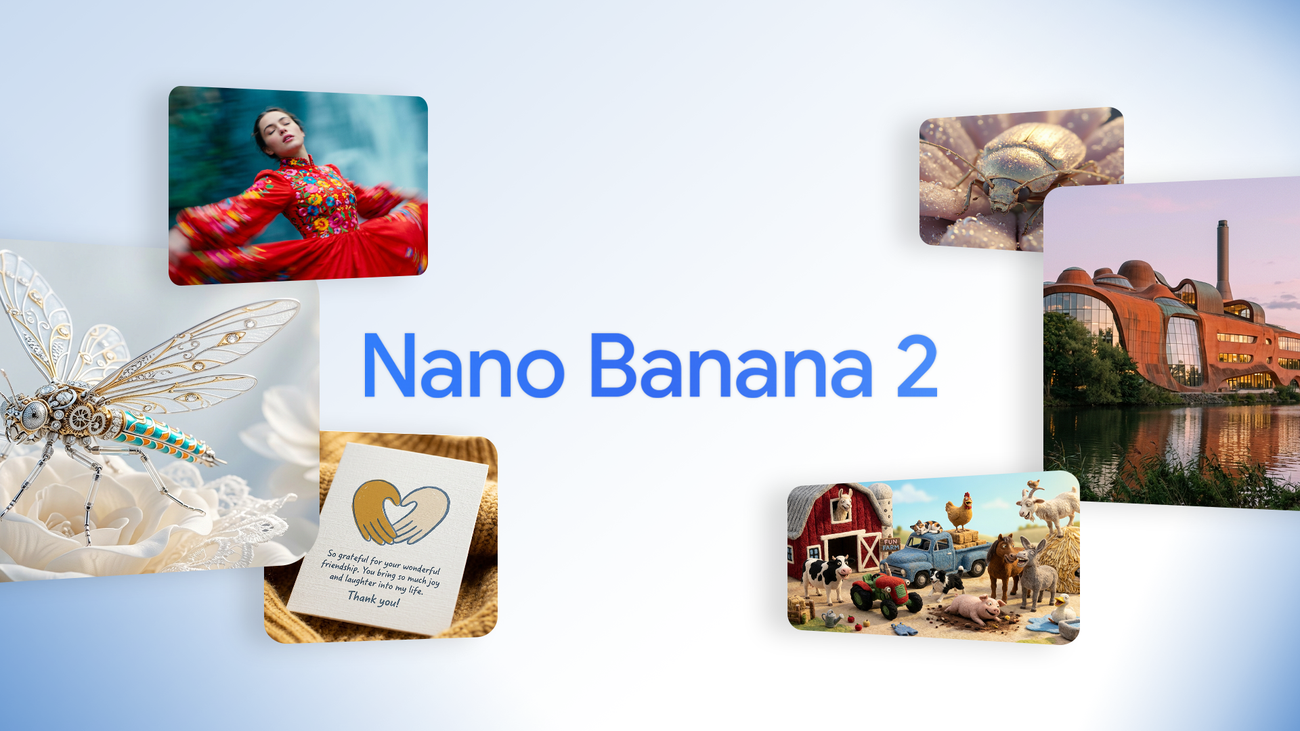
Last week, Google launched Nano Banana 2 — a new AI image generation model that's now the default across the Gemini app, Google Search, and most of Google's creative tools.
The short version: it takes the quality people loved in Nano Banana Pro and runs it at the speed of Gemini Flash. Faster images, nearly the same quality, lower cost.
If you've been using Gemini to generate images for your business — social posts, product mockups, marketing materials — this is a meaningful upgrade. And if you haven't tried it yet, this is a good time to start.
What Is Nano Banana 2?
Nano Banana 2 is technically called Gemini 3.1 Flash Image — that's the model name developers use to access it via API. But Google branded it Nano Banana 2 because it's the next step in their Nano Banana image model lineup.
Here's the quick timeline:
- Nano Banana (August 2025) — Google's first Gemini-based image model. It went viral, especially in India. Fast and free, but limited in quality.
- Nano Banana Pro (November 2025) — The premium version. Better image quality, better text rendering, better consistency. But slower and more expensive.
- Nano Banana 2 (February 2026) — The best of both. Pro-level quality at Flash speed.
Google says Nano Banana 2 achieves roughly 95% of Pro's image quality while generating images 3-5x faster. For most use cases, the difference between NB2 and Pro is barely noticeable unless you're zooming in pixel-by-pixel.
What's New Compared to the Original Nano Banana
If you've been using the original Nano Banana, here's what changes with version 2:
Better image quality. Sharper details, more realistic lighting, richer textures. The jump from Nano Banana to NB2 is significant — images look noticeably more polished and photorealistic.
Text actually works. One of the biggest complaints with AI image generators has been text rendering — letters come out garbled or misspelled. Nano Banana 2 handles text much better. You can generate marketing mockups, greeting cards, or social graphics with readable text in multiple languages. It can even translate text within images.
Subject consistency. You can maintain the same character's appearance across up to 5 characters and 14 objects in a single workflow. That's useful for storyboarding, building a brand character, or creating a series of images where your subject needs to look the same every time.
Real-world knowledge via web search. Nano Banana 2 can pull from Google Search while generating images. Ask it to create an image of a specific landmark, a public figure, or a current event, and it uses real-time web data to get it right. The original Nano Banana couldn't do this.
More resolution options. You can now generate images from 512px all the way up to 4K, in multiple aspect ratios — including ultra-wide formats like 4:1 and 8:1. Free users get up to 1K resolution. Paid plans unlock 2K and 4K.
Style transfer from reference photos. Upload a reference image and Nano Banana 2 can apply its texture, color palette, or artistic style to your subject. Want your product photo to look like a watercolor painting, or match the aesthetic of a specific brand shoot? You can do that now without starting from scratch.
Infographics and data visualization. Nano Banana 2 can turn notes into diagrams, create infographics, and generate data visualizations. The original Nano Banana was mostly for photos and creative art.
Nano Banana 2 vs. Nano Banana Pro — What's the Difference?
This is the question everyone's asking. Here's the honest breakdown:
Speed: NB2 wins easily. At 1K resolution, NB2 generates images in about 4-6 seconds. Pro takes 10-20 seconds. At 4K, NB2 takes 15-30 seconds vs. Pro's 30-60 seconds.
Image quality: Pro still has a slight edge — richer textures, more natural lighting, better spatial composition. But NB2 gets about 95% of the way there. For social media posts, blog images, and marketing materials, you won't notice the difference.
Text rendering: NB2 actually outperforms Pro here, especially for non-English languages. Spacing and formatting are cleaner.
Cost: NB2 is significantly cheaper. Through Google's API, a 1K image costs about $0.067 with NB2 vs. roughly double that with Pro. At 4K, the gap is even wider.
Unique to NB2: Image Search Grounding (web-powered image generation) and a Thinking Mode with three speed/quality levels. Pro doesn't have these.
Where Pro still wins: If you're doing high-end brand work where every pixel matters — hero images for a campaign, detailed character design, precision layouts — Pro gives you that extra 5% of polish and more control.
The practical recommendation: use Nano Banana 2 for 90% of your work. Switch to Pro only when you need studio-grade precision.
How to Try It
In the Gemini app (easiest): Nano Banana 2 is now the default. Open gemini.google.com and select the 🍌 "Create images" option from the tools menu, or just type a prompt describing what you want. You can use the Fast, Thinking, or Pro model — all now run NB2 by default. Google also added a new templates feature to help you get started faster with pre-built prompt structures. Free users get approximately 15-30 image generations per day at up to 1K resolution. No credit card required.
Google AI Plus / Pro / Ultra: Google offers multiple paid tiers. Pro ($19.99/month) gives you higher daily limits, 2K resolution, and the ability to regenerate images with Nano Banana Pro via the three-dot menu. Ultra ($49.99/month) unlocks maximum generations, 4K resolution, and all model variants. There's also a Plus tier in between — check gemini.google/subscriptions for current pricing.
For developers: Available in preview through the Gemini API, AI Studio, Gemini CLI, Vertex AI, and Google's Antigravity development environment. The API model ID is gemini-3.1-flash-image-preview.
In Google Flow: NB2 is now the default image model for the video editing tool, available for zero credits.
In Google Ads: NB2 now powers image suggestions while creating ad campaigns. If you're running Google Ads, you can generate creative directly in the campaign builder.
In Google Search: NB2 is rolling out via AI Mode and Lens across 141 new countries and territories, with support for 8 additional languages.
The Bigger Picture
Google is playing a volume game here. With 650 million monthly active Gemini users and NB2 rolling out across Search in 141 new countries and 8 additional languages, they're making AI image generation a default layer of the internet — not a premium tool you go out of your way to use.
All NB2 images include SynthID watermarks — Google's invisible marker for AI-generated content — plus support for C2PA Content Credentials, the industry standard backed by Adobe, Microsoft, OpenAI, and Meta. C2PA verification is also coming soon directly to the Gemini app.
There's also a useful reverse feature: you can upload any image to Gemini and ask whether it was generated by Google AI. SynthID will check for the watermark and tell you. Since its launch in November, this verification feature has been used over 20 million times. As AI images get more realistic, tools like these matter more — both for trust and legal compliance.
For business owners: this means higher-quality AI images are now more accessible and cheaper than ever. If you've been paying for stock photography or spending hours in Canva, Nano Banana 2 is worth testing as a faster alternative for quick visual content.
It won't replace a professional designer for high-stakes brand work. But for the everyday image needs of running a business — social posts, blog headers, ad mockups, presentations — it's genuinely useful and getting better fast.
Sources: Google Blog — Nano Banana 2 | Gemini Image Generation Overview